Stacking devices can be a smart way to save space, organize your setup, and improve ergonomics if done carefully. Using quality stands and lightweight gadgets helps prevent instability and overheating. However, overdoing it might make your workspace cluttered or harder to access. Whether it’s a smart move or overkill depends on your needs and setup size. Keep exploring to discover tips on stacking wisely and avoiding common pitfalls.

Get wellness gear delivered free with Prime
- Fast, free delivery on millions of items
- Prime Video, Amazon Music and more included
- Member-only deals all year
Key Takeaways
- Stacking devices can create a sleek, organized workspace but may pose stability and airflow issues if not done carefully.
- Proper stands and lightweight gadgets enhance safety, making stacking a practical and modern trend.
- Overstacking risks include device damage, difficulty accessing items, and potential overheating, limiting long-term benefits.
- The trend suits small spaces and tech enthusiasts seeking aesthetic appeal, but practicality depends on individual needs.
- Overall, stacking devices is smart when balanced with stability, accessibility, and device safety considerations; otherwise, it can be overkill.
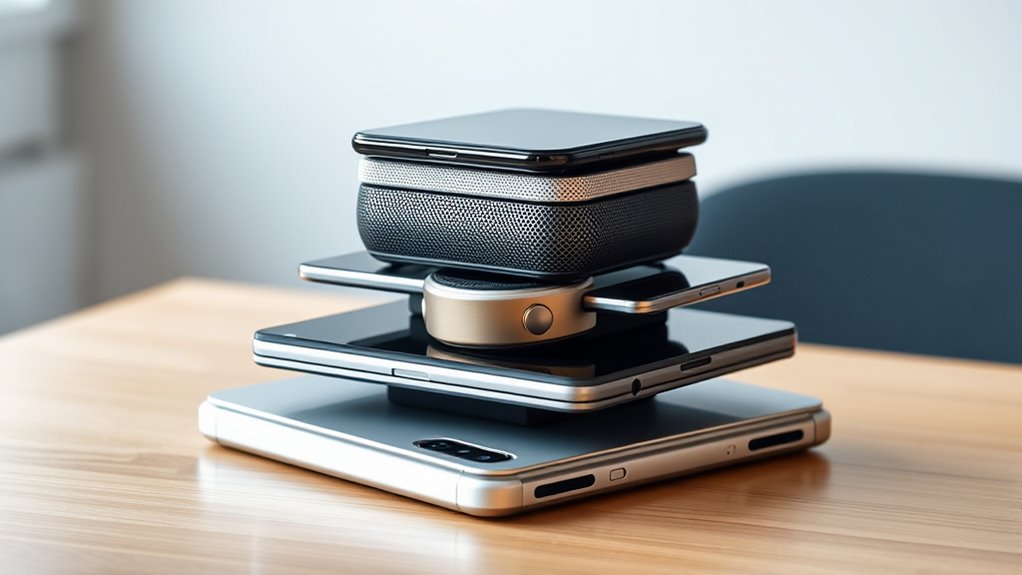
The stacking devices trend is transforming the way you organize and optimize your tech setup. Instead of cluttered desks and tangled cables, you now have sleek, space-saving solutions that elevate your workspace‘s efficiency. By stacking monitors, speakers, and other gadgets, you create a streamlined environment that looks modern and functions smoothly. This approach appeals especially if you value aesthetics and want to maximize limited space. It’s easy to see why many tech enthusiasts and professionals are adopting this trend — it offers both style and practicality in one package.
Stacking devices allows you to keep everything within reach without sacrificing precious desk real estate. For example, stacking a tablet on top of a monitor or placing a speaker on a dedicated stand frees up space on your desk surface. This setup helps reduce clutter, making your workspace look cleaner and more organized. Plus, it can improve ergonomics; stacking monitors at eye level minimizes neck strain, and elevated speakers can enhance audio experience without taking up additional surface area. These benefits make stacking an attractive choice for those who spend hours at their desk.
Stacking devices keeps everything within reach and free up desk space for a cleaner, more ergonomic workspace.
However, you also need to contemplate whether stacking devices is genuinely smart or just overkill. While it offers a neat, efficient look, stacking can sometimes compromise stability. If not done carefully, devices might topple or get damaged, especially if the stacking method isn’t secure. Investing in quality stands or risers can mitigate this risk, but it adds cost and complexity. Additionally, stacking can hinder accessibility. For example, if you stack too many items or place frequently used gadgets on the bottom, reaching them might become inconvenient. This can lead to a cluttered bottom layer or necessitate constant rearrangement, which defeats the purpose of a tidy setup.
Another point to consider is heat dissipation. Devices like laptops and monitors generate heat, and stacking them can restrict airflow, leading to overheating and potentially shortening their lifespan. If you’re stacking, make sure to incorporate proper spacing or cooling solutions to prevent this issue. Also, some devices are more suited for stacking than others. Lightweight, flat gadgets work best, while heavier or bulkier items might not be stable or safe when stacked.
Moreover, understanding the importance of color accuracy in your setup can influence how you arrange your devices for optimal visual performance. Devices with poor color fidelity may not benefit from stacking if it results in misaligned displays or inconsistent image quality.
In the end, whether stacking devices is a smart move or overkill depends on your specific needs and workspace. If you value a clean, modern look and are willing to invest in quality stands and careful arrangement, it can be a smart way to optimize your space. But if stability, accessibility, and device longevity are your priorities, then stacking might be more trouble than it’s worth. It’s all about balancing aesthetics with functionality to create a workspace that truly works for you.
As an affiliate, we earn on qualifying purchases.
Frequently Asked Questions
Are Stacking Devices Compatible Across Different Brands?
Yes, stacking devices can be compatible across different brands, but it’s not guaranteed. You need to check if they support common standards like HDMI, Bluetooth, or Wi-Fi. Some brands may have proprietary connections or features that limit compatibility. To guarantee everything works smoothly, verify device specifications and look for universal compatibility or support for open standards. This way, you avoid issues and create a seamless setup.
Do Stacking Devices Affect Device Performance or Longevity?
Stacking devices can affect performance and longevity, much like stacking books too high risks toppling everything. You might notice slower speeds or overheating if devices aren’t compatible or properly ventilated. For example, I once stacked multiple chargers, and one overheated, causing a short circuit. To prevent issues, confirm devices are compatible, and give them space to breathe. Proper setup helps your tech last longer and work more efficiently.
What Safety Precautions Should Be Considered When Stacking Devices?
You should guarantee proper ventilation and avoid blocking airflow to prevent overheating. Use stable, non-slip surfaces and secure devices with straps or supports to prevent falls. Keep cables organized to avoid tripping hazards, and regularly check for signs of wear or damage. Also, consider weight limits to avoid strain on ports or connectors. By taking these precautions, you protect both your devices and yourself from potential safety issues.
Are Stacking Devices Suitable for High-Power or Gaming Setups?
Stacking devices can be suitable for high-power or gaming setups if you guarantee proper ventilation and cooling. You need to check that your power supply can handle the increased load and avoid overheating. Using sturdy, well-ventilated racks or stands helps prevent damage. Just be cautious not to block airflow, and consider cable management to keep everything organized and safe. With these precautions, stacking can enhance your gaming or high-performance experience.
How Cost-Effective Are Stacking Devices Compared to Single Devices?
Stacking devices are generally less cost-effective than single, high-quality units. You might spend more initially, as multiple devices add up, and maintenance costs can increase. However, they offer flexibility and scalability, allowing you to upgrade parts over time. If you want a budget-friendly, straightforward setup, single devices tend to save you money. Consider your needs carefully to balance cost with performance and future-proofing.
Conclusion
Think of stacking devices like building a tower with blocks—you can create something impressive, or it can topple easily. While the trend offers convenience and innovation, it might also be overkill if you’re not careful. Remember, more isn’t always better. Evaluate your needs and avoid cluttering your space. Stay smart about your tech choices, and you’ll enjoy the benefits without the chaos. After all, a well-balanced setup is like a perfectly built tower—steady and satisfying.
Halloween Picks
halloween
As an affiliate, we earn on qualifying purchases.