Many people overlook how their workspace setup worsens sciatica. Poor chair height, monitor placement, and unsupported feet can strain your lower back and legs, aggravating nerve pain. Small ergonomic mistakes add up over time and keep symptoms persistent. Addressing these setup issues tackles the root cause of your discomfort, not just the symptoms. If you want to discover simple adjustments that can bring relief, there’s more to explore below.

Get wellness gear delivered free with Prime
- Fast, free delivery on millions of items
- Prime Video, Amazon Music and more included
- Member-only deals all year
Key Takeaways
- Many overlook ergonomic setup as a root cause of sciatic pain, focusing only on symptoms or treatments.
- Improper chair, monitor, or keyboard positioning can worsen nerve irritation over time.
- Small ergonomic mistakes can accumulate, significantly impacting sciatic nerve health.
- Addressing workspace ergonomics is essential for effective long-term relief and healing.
- Buyers often neglect ergonomic assessments, missing a simple yet crucial step in managing sciatica.
Many sciatica sufferers jump into treatment options without properly setting up their workspace or understanding the root of their pain. One of the most overlooked causes is ergonomic mistakes—those simple errors in how you position yourself while working or sitting for long periods. You might not realize that incorrect positioning can put unnecessary strain on your lower back and legs, aggravating your sciatic nerve and prolonging discomfort. When you ignore these setup issues, no amount of medication or physical therapy alone will fully resolve your pain, because the root cause remains unaddressed.
Ignoring ergonomic setup can worsen sciatic pain; proper workspace adjustments are essential for effective relief.
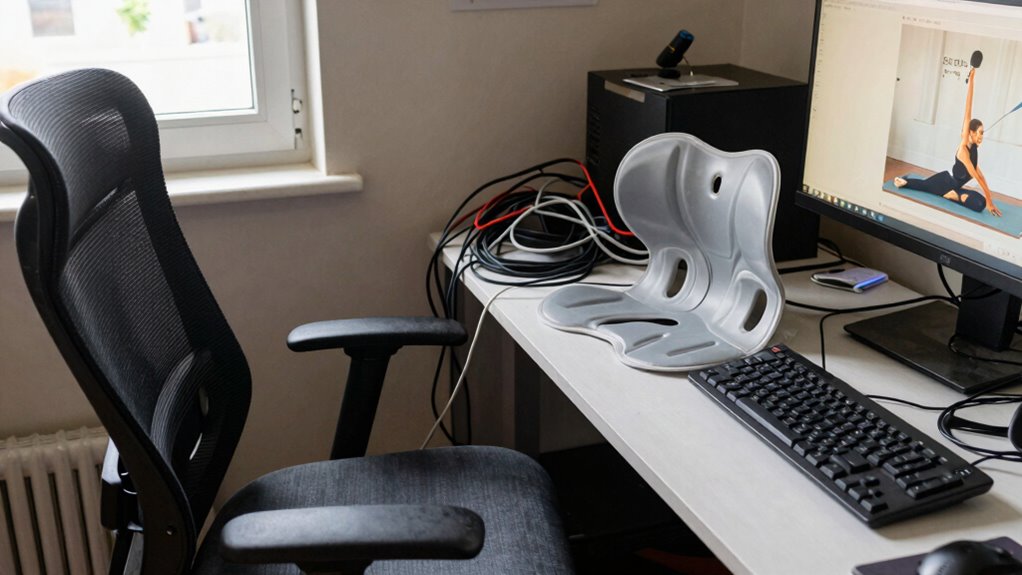
The problem often begins with your chair height. If your chair is too high or too low, you may be forced into awkward positions that increase pressure on your lower back and hips. For example, sitting too low can cause you to slump, stressing your lumbar spine, while sitting too high might leave your feet unsupported, leading to poor circulation and muscle tension. Both scenarios involve incorrect positioning that can worsen sciatic pain over time. Many people neglect to adjust their chair or don’t use ergonomic accessories like footrests or lumbar support, making them prone to these mistakes.
Your desk setup also plays a vital role. If your monitor is too high or low, you’ll tilt your neck, which can create muscle imbalance and add tension to your lower back and hips. When your keyboard and mouse are placed too far away or at awkward angles, you end up leaning forward or reaching excessively, straining your lower back and hips further. These misalignments are classic ergonomic mistakes that often go unnoticed because they seem minor. But over days, weeks, and months, they compound, aggravating your sciatic symptoms. Proper ergonomic setup can make a significant difference in reducing these issues. Furthermore, understanding ergonomic principles can help you make targeted adjustments for lasting relief. Additionally, many ergonomic errors are caused by lack of awareness about body alignment, which is crucial for maintaining proper posture. Recognizing the importance of body mechanics can empower you to make better adjustments and avoid unnecessary strain.
Many overlook the importance of proper posture and incorrect positioning, assuming that comfort during short periods is enough. But sustained poor posture leads to muscle fatigue and joint stress, which can irritate the sciatic nerve. Remember, your body is a system—if one part is misaligned, it affects the entire chain. Small adjustments, like sitting back fully in your chair with your feet flat on the floor, keeping your monitor at eye level, and ensuring your arms are at a comfortable angle, can greatly reduce strain. These ergonomic tweaks aren’t just about comfort; they’re essential in preventing and managing sciatic pain.
In the end, overhauling your workspace setup is one of the simplest yet most effective steps you can take. Many sufferers overlook how much incorrect positioning influences their pain. By recognizing and correcting ergonomic mistakes early, you can prevent further nerve irritation and make your treatment efforts far more successful. Proper setup isn’t just about comfort—it’s about addressing the root cause and giving your body the support it needs to heal.
Products Worth Considering

Withings BPM Vision Blood Pressure Monitor with Wi-Fi and Bluetooth

BowFlex Results Series SelectTech Adjustable Dumbbells (Pair)

BowFlex Results Series 552 SelectTech Adjustable Dumbbells (Pair)
As an affiliate, we earn on qualifying purchases.
Frequently Asked Questions
What Are the Common Signs of an Improper Setup?
You’ll notice signs of an improper setup when your ergonomic principles aren’t followed, like persistent discomfort or pain, especially in your lower back or legs. Poor posture correction can cause strain, leading to frequent fatigue or numbness. If your workspace doesn’t support proper alignment, you might feel tension or stiffness. Recognizing these signs helps you adjust your setup, ensuring better posture correction and reducing sciatica symptoms effectively.
How Can I Test if My Setup Is Correct?
You can test if your setup is correct by using ergonomic accessories and practicing posture awareness. Sit comfortably, verify your monitor is at eye level, and your feet are flat on the ground. Adjust your chair and desk height until your elbows form a 90-degree angle. Check if your shoulders are relaxed and your back is supported. Regularly evaluate your posture to prevent strain and confirm your setup promotes good ergonomics.
Does Setup Affect Sciatica Relief Effectiveness?
Yes, your setup considerably impacts sciatica relief effectiveness. Ergonomic adjustments, like proper chair height, lumbar support, and correct monitor positioning, help reduce pressure on your sciatic nerve. When your workspace is optimized, pain management becomes easier because you’re preventing strain before it starts. Take the time to assess and improve your setup regularly; it can make a real difference in alleviating discomfort and supporting your recovery.
Are There Specific Tools Needed for Proper Setup?
You’ll want ergonomic accessories like lumbar supports and adjustable chairs, and setup tutorials to guarantee correct positioning. These tools seem like small details, but they make a big difference in relief effectiveness. Picture yourself adjusting your workspace, matching every accessory to your body’s needs. Proper setup isn’t complicated—just follow clear tutorials and include the right ergonomic tools. This way, you’re more likely to experience lasting sciatica relief.
How Often Should I Reassess My Setup?
You should reassess your setup every few weeks or whenever you notice discomfort or fatigue. Regularly check your ergonomic accessories and make posture adjustments as needed to guarantee ideal support. Keep an eye on how your body responds, and don’t hesitate to tweak your workspace to prevent worsening sciatica symptoms. Consistent evaluation helps maintain proper alignment, reducing strain and ensuring your setup continues to serve your comfort and health effectively.
Conclusion
Don’t overlook the setup when choosing a sciatica relief product. Imagine Sarah, who bought a chair without proper lumbar support, only to find her pain worsened. If she had adjusted her setup first, her recovery might’ve been quicker. Always prioritize proper positioning and support to maximize your relief. A small investment in setup can make a huge difference—so take the time to get it right, and avoid unnecessary frustration.