
TL;DR
Prebuilt AI workstations now often match or beat DIY builds on price, thanks to component shortages and bulk discounts. They save time, offer validated thermals, and come with support, but reduce customization options. Your choice hinges on how much control and effort you want versus convenience and support.
Imagine turning on your AI workstation and having it hum smoothly, ready to run models within minutes. No fuss over BIOS tweaks or component compatibility. That’s the promise of a prebuilt system—fast, reliable, and support-backed. But is it the right move for you, or should you roll up your sleeves and build your own?
As AI workloads grow more demanding, the decision to build versus buy isn’t just about saving a few bucks anymore. It’s about balancing cost, time, control, and peace of mind. This guide breaks down what you need to know to make the best choice for your AI projects in 2026.
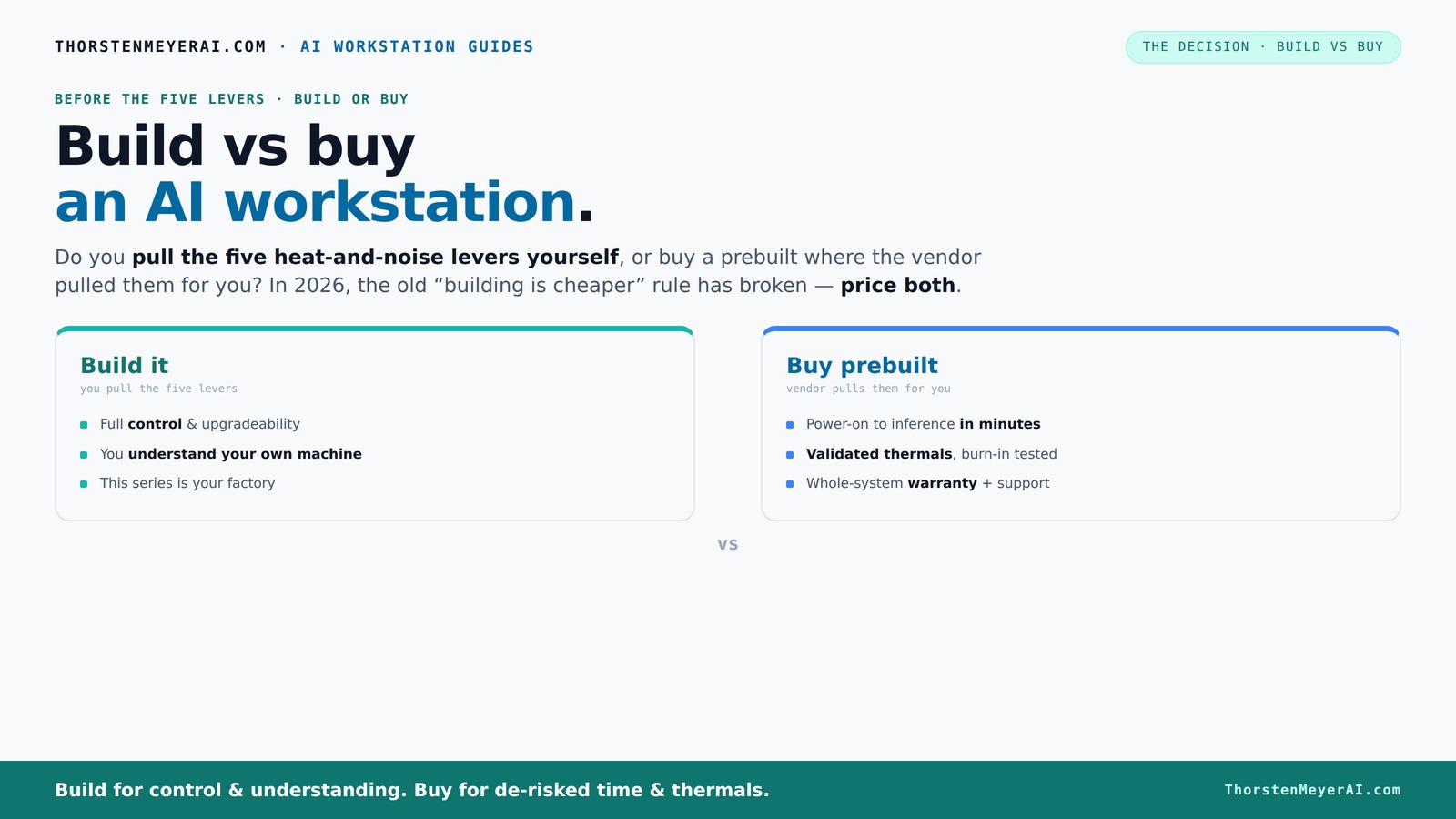
Build vs buy
an AI workstation.
The real question behind this whole series: do you pull the five heat-and-noise levers yourself, or buy a prebuilt where the vendor pulled them for you? And in 2026, the old “building is cheaper” rule has broken. Match your situation in Part 3.
Key Takeaways
- In 2026, the cost difference between building and buying AI workstations has mostly disappeared, shifting focus to support, thermal validation, and upgrade options.
- Prebuilts offer ready-to-use systems with validated thermal performance, warranty support, and time savings—ideal for quick deployment and reliability.
- DIY builds give you full control over components, cooling, and noise, but require time, expertise, and ongoing troubleshooting.
- Choosing between build and buy depends on your workload, budget, comfort with hardware, and how much you value convenience versus customization.
- Always compare specific configurations and prices today—what was true in 2024 no longer holds in 2026.

WIWB Gaming PC Desktop Core I9-14900HX, RTX 5060 Ti 8G, 1TB NVME SSD
- Powerful Processor: Intel Core i9-14900HX with 24 Cores
- High-Performance Graphics: GeForce RTX 5060 Ti 8GB GDDR7
- Fast Memory & Storage: 16GB DDR5 RAM and 1TB NVMe SSD
As an affiliate, we earn on qualifying purchases.
As an affiliate, we earn on qualifying purchases.
What a prebuilt AI workstation really offers — and why it matters
A prebuilt AI workstation is a fully assembled system, validated and tested by the vendor, with the OS and AI tools preinstalled and optimized. Think of it as a ready-to-use sports car—engine tuned, cooled, and tested for peak performance. For example, vendors like Lambda or Puget Systems run 24–48 hours of stress tests before shipping, confirming the system won’t throttle under load.
This saves you time and effort: no BIOS fiddling, no compatibility doubts, just plug in and start training models. Plus, you get a warranty covering hardware failures and support when things go sideways. It’s especially valuable if your time is better spent on AI rather than troubleshooting hardware.
Why this matters: In AI workloads, stability and thermal performance are critical. A system that’s been thoroughly tested reduces the risk of unexpected crashes, thermal throttling, or hardware failures during intensive training sessions. Support and warranty also mean that when issues arise, you can focus on your work instead of hardware troubleshooting, which can be complex and time-consuming, especially with high-end components that require precise configuration.
Why building your own AI workstation is still a powerful option
Building your own AI workstation means total control over every part—GPU choice, cooling, case, power supply. This control allows you to optimize the system precisely for your specific workload, whether that’s maximizing performance, reducing noise, or improving energy efficiency. For example, selecting a quieter GPU or custom cooling setup can significantly lower noise levels and thermal stress, which is crucial during long training runs.
Beyond customization, building your own can lead to cost savings, especially if you’re willing to hunt for deals or reuse parts from previous systems. It also develops your hardware skills, enabling you to troubleshoot issues more effectively and perform upgrades as needed. However, this flexibility comes with tradeoffs: it requires time, technical knowledge, and patience to assemble and test the system properly.
Why this matters: For AI applications, even small improvements in thermal management or noise reduction can translate into more stable, longer-lasting hardware. The ability to fine-tune your system means you can squeeze out extra performance or reliability that might not be achievable with off-the-shelf solutions. But the tradeoff is increased complexity and potential for setup errors, which could offset some of the cost or performance benefits if not managed carefully.
Cost showdown: Is building cheaper than buying? The real story in 2026
| Build | Buy |
|---|---|
| Requires sourcing parts, assembling, troubleshooting | Preassembled, tested, ready to deploy |
| Component prices spiked in 2026 due to shortages — DDR5, GPUs, SSDs now often $300–$500 more | Vendors leverage bulk discounts, sometimes offering systems at prices comparable or even lower than DIY parts |
| DIY cost can start around $1,250+ for a decent setup | Prebuilts often in the $1,200–$1,600 range, with validated thermals and warranty |
In 2026, the long-held assumption that building your own system is always cheaper no longer holds true. Component shortages and supply chain disruptions have driven up prices, making DIY builds more expensive and less predictable. Meanwhile, vendors have optimized their manufacturing and bulk purchasing, enabling them to offer systems at competitive prices—sometimes even cheaper when you factor in the time and effort required for assembly, troubleshooting, and testing. This shift means that for many users, choosing a prebuilt isn’t just about convenience; it’s also about cost-effectiveness, especially when factoring in the value of time saved and the reduced risk of component incompatibility or failure.
The five levers: how thermal tuning and noise reduction shape your choice
High-performance AI systems generate a lot of heat and noise, which can impact hardware longevity and user comfort. Managing these factors involves five key levers: undervolting the GPU, matching the cooler to the workload, optimizing airflow, tuning fan curves, and careful placement of the system. The significance lies in how well these levers are managed—either by the builder or the vendor.
Prebuilts typically come with these aspects already optimized through rigorous testing, meaning they run cooler and quieter without user intervention. They often include factory-tuned fan curves, pre-applied thermal paste, and sometimes water-cooling solutions, all aimed at maintaining performance while minimizing noise and thermal stress. This results in systems that are not only more pleasant to work near but also potentially more durable over time.
Building your own system allows you to tailor these factors exactly to your environment and preferences. You can choose quieter fans, undervolt components to reduce heat and power consumption, or install custom cooling solutions. While this requires time and technical skill, it offers the advantage of a finely tuned system that can operate at peak efficiency and comfort, especially important during prolonged AI training sessions or when noise levels matter in your workspace.
Support, warranty, and reliability: why they matter more than ever
Prebuilt systems come with comprehensive warranties—often 3 to 5 years—and dedicated support lines. When hardware issues occur, the vendor handles diagnostics and repairs, reducing downtime during critical AI training or deployment phases. This support infrastructure is crucial because AI workloads are resource-intensive; hardware failures can be costly and disruptive, especially if they happen during important projects.
DIY builds, in contrast, rely on multiple warranties from different manufacturers—each component may have its own support process. Troubleshooting hardware conflicts or failures can become a complex puzzle, requiring time and technical expertise. You might need to contact several companies, wait for RMA approvals, and coordinate repairs, which can introduce delays and uncertainty.
For AI professionals and organizations, system reliability and quick support are vital. Downtime can mean lost revenue, missed deadlines, or compromised research. Investing in a supported prebuilt reduces these risks, ensuring your AI operations stay smooth and minimizing the hassle of hardware issues.
Upgradeability and future-proofing — are prebuilts holding you back?
Many OEM prebuilts incorporate proprietary parts or connectors—such as soldered RAM or non-standard cases—which can significantly limit future upgrades. For instance, soldered RAM modules mean you can’t easily add more memory later, and non-standard cases may restrict airflow or the addition of extra GPUs. These design choices are often made to reduce manufacturing costs or improve aesthetic appeal but can hinder your ability to adapt your system as your needs evolve.
Building your own system allows you to select standard, modular components—motherboards, cases, power supplies—that facilitate upgrades. You can add more RAM, swap out GPUs, or upgrade cooling solutions without being constrained by proprietary designs. This flexibility can extend your system’s lifespan and ensure it remains capable of handling future AI workloads, which tend to grow in complexity and resource demands.
Some high-end prebuilts now offer upgrade paths, but it’s essential to scrutinize their design and support policies beforehand. The long-term value of your investment depends on whether you can adapt the system over time without major overhaul costs or compatibility issues.
Who should buy prebuilt? When does it make sense?
If you need a system ready to run out of the box, with validated thermals and a warranty, a prebuilt makes sense. For example, a data scientist who wants to start training models immediately will appreciate the plug-and-play convenience and reduced setup time. This choice minimizes the technical barriers, allowing you to focus on your AI work rather than hardware configuration.
Buy a prebuilt if your time is more valuable than the potential cost difference, or if you lack the technical expertise to troubleshoot hardware issues effectively. Vendors like Lambda or Puget offer systems designed specifically for multi-GPU AI workloads, ensuring thermal and power stability, which reduces the risk of hardware failures and downtime. This support network can be crucial for mission-critical AI projects that require maximum uptime.
In essence, if you prioritize rapid deployment, reliability, and support, prebuilts are the logical choice. They offer peace of mind and a system optimized for AI workloads, saving you from the complexities of manual assembly and tuning.
When building your own makes sense — for hobbyists and experts
If you enjoy tinkering, have a flexible budget, and want total control over every aspect of your system, building your own workstation remains highly appealing. It allows for choosing high-quality, quiet components, undervolting to improve energy efficiency, and customizing cooling solutions for optimal thermal management. This hands-on approach enables you to tailor the system precisely to your workflow, whether that’s maximizing performance, minimizing noise, or experimenting with different hardware configurations.
For example, a hobbyist might spend a weekend assembling and tuning their system, ending up with a machine that performs better and operates more quietly than many prebuilt options. Additionally, this process develops valuable technical skills, which can be advantageous for future upgrades, repairs, or troubleshooting. Building your own workstation also means you can select components that match your exact needs, like a high-end CPU cooler or a case with superior airflow, which are crucial when running sustained AI workloads.
However, this approach requires time, patience, and a willingness to troubleshoot. The tradeoff is the potential for a more optimized, personalized system that can deliver higher performance and longer lifespan if done correctly.
Frequently Asked Questions
Is it cheaper to build or buy an AI workstation?
It depends. While DIY used to be cheaper, component shortages and bulk discounts in 2026 mean prebuilts often match or beat the cost of assembling your own. Always compare specific prices for your configuration.
What GPU should I get for AI workloads?
For most AI tasks, a professional GPU like the NVIDIA RTX A6000 or A40 offers better performance and stability. However, high-end consumer GPUs like the RTX 4090 can also perform well, especially if you’re willing to undervolt or optimize thermals.
How much RAM and VRAM do I need?
For training and inference with large models, aim for at least 64GB of RAM and 24–48GB of VRAM. Smaller projects or fine-tuning can work with less, but check your specific model’s requirements.
Are prebuilts upgradeable later?
Some prebuilts use proprietary parts, limiting future upgrades. Always check the vendor’s upgrade policy. Building your own ensures compatibility and easier future expansion.
Is a prebuilt system better for AI work?
It can be, especially if you value validated thermals, warranty support, and quick setup. For highly customized or budget-conscious projects, building may still be the better choice.
Conclusion
In the end, your decision hinges on what matters most: speed and support, or control and customization. If you’re pushing AI models into production, a prebuilt can save you headaches and downtime. But if you love hardware, building your own lets you fine-tune every detail for maximum efficiency.
In 2026, the real win is understanding your priorities—and choosing the path that keeps your AI projects running smoothly, without surprises.